20/10/2026 18:21
Plant Photos or Unrelated Files? Telegram Media Permissions for Cambodian Plant Shops
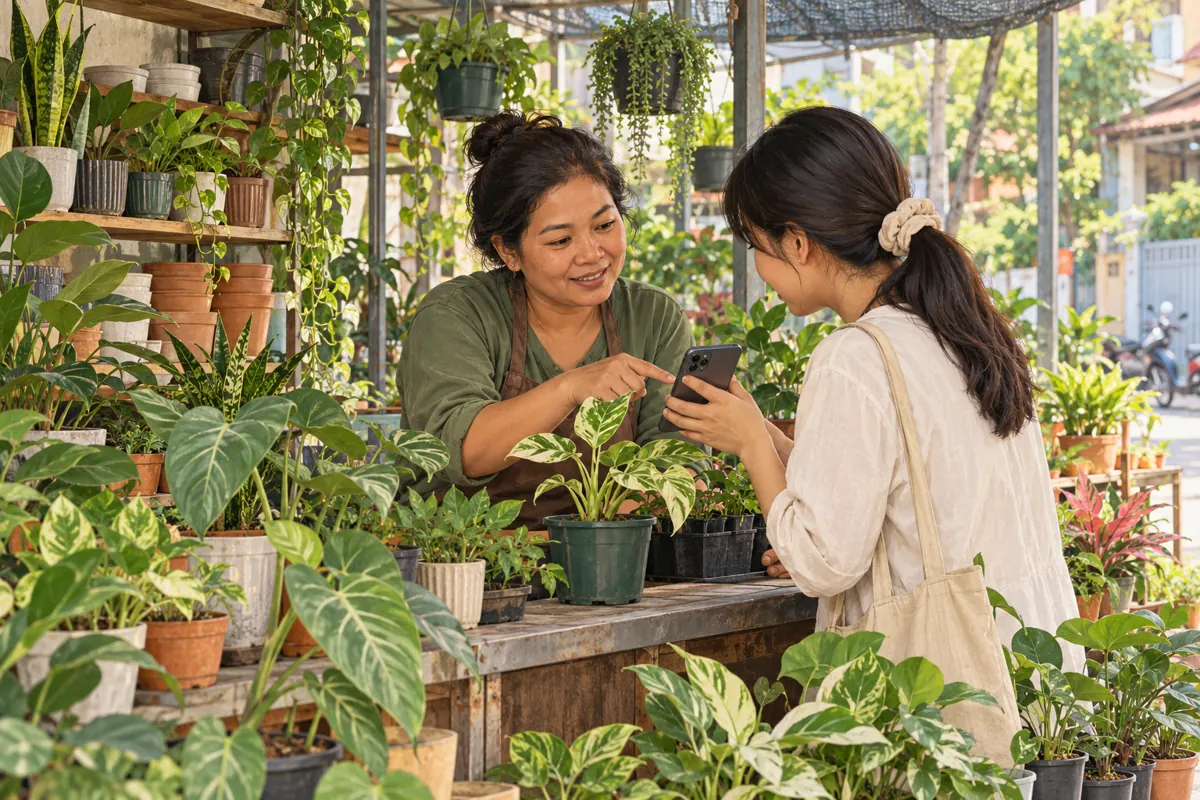
A customer wants to show a yellowing leaf, but the shop’s Telegram group is crowded with forwarded videos, stickers and unrelated attachments. Switching off every kind of media would remove the clutter and the photograph needed to answer the question. For a Cambodian plant shop, the better starting point is to decide which contributions make the group useful, then configure and test the relevant permissions. This workflow connects community preparation with social media promotion: invite people into a space where they can complete a clear task, and assess the resulting conversations separately from any purchased engagement.
1. Give the group one practical purpose
Start with a promise that staff can actually fulfil. A suitable purpose might be helping customers explain questions about plants bought from the shop. That is narrower than running a general gardening forum, hosting supplier advertisements or accepting delivery orders. Write down who answers, what information they need and which requests belong in a private conversation. These choices determine the useful media formats before anyone touches the settings.
Consider a hypothetical nursery in Battambang that promotes balcony plants. Customers often ask about leaf changes after moving a pot into a different position. The nursery wants a whole-plant photograph and a short description of the location. It does not need music files or unrelated promotional videos. Its invitation should describe that specific help, while making clear that a photograph may lead to further questions rather than an immediate diagnosis or product recommendation.
2. Understand what media permissions can control
Telegram documents separate group permissions for media types, including photos, voice messages and video messages. It also allows administrators to disable text messages. This makes selective participation possible without treating every attachment alike. The feature is described in Telegram’s official [media permissions announcement](https://telegram.org/blog/profile-pics-emoji-translations).
Choose formats according to the work. Photos and text are a sensible starting proposal for this hypothetical plant-care group. Voice messages may also be valuable when customers find spoken Khmer easier than typing. Decide whether staff can listen and respond reliably before restricting them. A format restriction controls how something is sent; it does not judge whether a photograph is relevant, whether advice is accurate or whether a message contains advertising. Human review and a clear group purpose remain necessary.
3. Separate discussion from shop announcements
Decide whether the invitation belongs in an existing shop channel or whether the group itself will be the main destination. Telegram distinguishes groups for participation from channels for broadcasting, as explained in its [FAQ](https://telegram.org/faq). For a small nursery, a channel can carry stock announcements while a separate group handles customer questions. Use this arrangement only if the team can maintain both spaces.
Write different instructions for each destination. An announcement might introduce a plant-care discussion and explain what to submit. The group’s opening guidance should tell people how to ask a useful question. Avoid suggesting that joining either space reserves stock, confirms a delivery or creates a service appointment. If staff cannot monitor an open discussion consistently, a straightforward invitation to contact the shop privately may be a better promotional destination than a group with unanswered requests.
4. Configure the permissions around real submissions
Using an administrator account with the necessary authority, open the group information and locate its editing or management settings, then Permissions. The exact labels and layout can differ between apps. Inspect the available media controls and record the current choices before changing them. Keep text and photos available for the proposed workflow; evaluate voice, video, documents and other formats individually rather than switching off media as one undifferentiated category.
For each proposed restriction, name the problem it solves and the alternative customers can use. If lengthy videos are overwhelming staff, ask whether a still photograph and explanation usually suffice. If a genuine question needs motion, provide a private route for that case. Avoid opening every format temporarily whenever someone asks: that makes the rules unpredictable. Instead, establish a repeatable exception process and explain it beside the submission instructions.

5. Show customers what a useful photo request contains
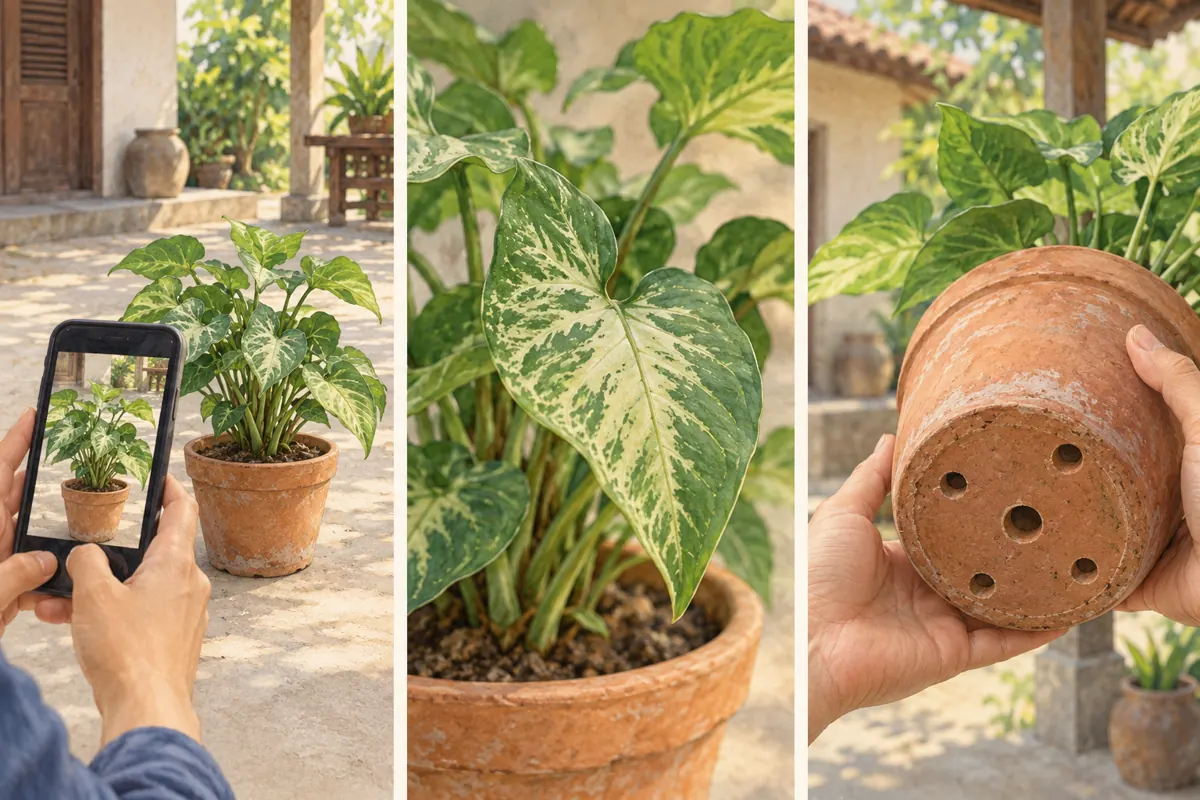
Provide an example using a plant owned by the shop. Ask for a whole-plant view, a close view of the area causing concern and a description of the pot and its drainage. A base photograph can help when it can be taken safely, but do not encourage someone to tip a heavy or fragile planted container. Ask when the change began, where the plant normally sits and whether its recent care or location changed.
A hypothetical submission could say: “This plant normally sits on a covered balcony. I moved it beside a brighter opening last week, and these leaves changed afterwards. What other information would help?” This gives staff something concrete to investigate without assuming a cause. Ask customers to crop out faces, house numbers, receipts and delivery labels. Keep addresses, payment questions and individual order records in the shop’s designated private conversation.
6. Test the experience as an ordinary member
Do not judge the setup only by what an administrator can send. Ask a consenting colleague who participates as an ordinary member to rehearse a customer enquiry. Have them send a plant photo, add a written explanation and try a format that should be restricted. Where voice messages are part of the intended workflow, test those too. Use harmless sample material and tell existing members that a brief setup test is taking place.
Record whether the intended submission succeeds and what the member sees when a format is unavailable. If the photo fails, investigate the permissions before inviting more customers. If the explanation is awkward, revise the instructions rather than assuming customers will work it out. Repeat the relevant test after a setting change. The useful result is a completed question that staff can answer, not merely a settings screen that looks correct.
7. Prepare a consistent moderation response
Write a brief response for off-topic material before the group becomes busy. For example: “This group is for questions about your plants. Please send a plant photo and explain the issue; contact the shop privately about orders.” Apply the same standard to regular customers and newcomers. Where removal is appropriate, explain the rule without reposting unnecessary personal information or turning a small mistake into a public argument.
Separate irrelevant content from inconvenient but legitimate questions. A customer’s photograph of a damaged plant may need careful attention even if it makes the shop uncomfortable. Ask for missing context and move order-specific details to a private exchange. Also decide how staff will handle unsupported advice from other members. A helpful response can acknowledge the suggestion while explaining what remains unknown. Do not turn a speculative group reply into a confident sales recommendation.
8. Check whether an SMM service fits the objective
The supplied je-smm.com catalogue includes the exact service name “Telegram Post Views ~ Max Unlimited ~ 10M/Days ~ INSTANT”. Its name identifies a post-view offering, but the brief provides no supporting description. Treat the speed and capacity wording as catalogue claims requiring clarification, not independently verified performance. Nothing supplied establishes that this service configures permissions, supplies moderators or brings Cambodian plant owners into a discussion.
For this workflow, the immediate objective is receiving understandable questions that staff can handle. A post-view service does not establish that outcome. Purchased engagement is not evidence of genuine interest, sales, advertising delivery or Cambodian users. If a promotional plan involves a panel, first confirm the current service scope, destination requirements and applicable platform rules. Keep any delivery record separate from observations about real enquiries. Choosing not to order is reasonable when the service does not address the task.
9. Promote the submission process, then review the questions
Build the invitation around what members can do: share a plant photograph, explain the growing conditions and receive a response when staff are available. Use a shop-owned sample image rather than a customer conversation presented without permission. For Cambodian customers, prepare the practical instructions in the language they actually use and have a fluent colleague review them. Do not promise round-the-clock help unless the shop has arranged that coverage.
During an initial review period, note recurring obstacles: missing whole-plant views, unclear questions, customers unable to submit a useful format or requests that should have gone privately. These observations reveal what to improve. For example, repeated leaf close-ups without any context suggest a clearer sample submission. Frequent requests for voice replies may justify reconsidering the audio policy. Evaluate the quality and handling of actual questions without attributing changes automatically to promotion or purchased activity.
10. Fix the cause instead of tightening every restriction
A common mistake is disabling photos after unrelated images appear. That removes the central tool customers need. Address the off-topic behaviour first. Another mistake is announcing a photo-based discussion before anyone has tested it as a member. A third is keeping instructions that promise videos after video submissions have been restricted. Update the invitation, group guidance and staff responses together so that they describe the same experience.
Assign one staff member to maintain a short record of permission changes and their reasons. When a restriction blocks legitimate questions, review it rather than defending it simply because it exists. When staff cannot keep up, reduce the promotional push and clarify response expectations. A useful group is maintained through understandable requests, appropriate formats and dependable attention. More visible activity cannot compensate for a customer who still does not know how to ask the shop for help.

Frequently asked questions
Should a plant-care group allow photos but disable text?
Usually that would make this particular workflow harder. A photograph rarely explains when a change began, where the plant sits or what the customer wants to know. Keep written explanations available unless you have a clearly tested alternative. The purpose is to collect enough context for a useful response, not to create a visually tidy gallery.
What if a customer needs to send a video that the group restricts?
Ask what the video would show and decide whether motion is necessary. If it is, direct the customer to the shop’s stated private contact route. Explain how staff will connect that message with the original question. Avoid asking the customer to disguise a restricted attachment or repeatedly attempt an upload that the group does not allow.
Will allowing only photos prevent spam?
No. An unrelated advertisement can itself be a photograph. Media permissions reduce certain kinds of submissions; relevance still requires rules and moderation. Keep the photo format available when it serves legitimate questions, and address misuse through the group’s moderation process rather than assuming a file-type restriction can judge the content.
Can purchased Telegram views show that local customers want this group?
No. A delivered view count does not establish location, genuine interest or intent to participate. Look at voluntary enquiries and whether the group helps staff handle them. If panel activity occurs, identify it separately in internal reporting and avoid presenting it as proof that Cambodian customers endorsed the shop or requested its advice.
How often should the shop reconsider its media settings?
Review them after the initial member test and whenever a recurring submission problem appears. A brief staff review is more useful than frequent arbitrary changes. Ask which legitimate questions were blocked, which formats created avoidable work and whether the instructions remain accurate. Change one relevant choice, test it and tell members what has changed.
Explore the current service catalogue, create an account, or ask a specific question through support tickets.
- Telegram: Profile Photo Maker, Translating Entire Chats, Emoji Categories and More — Granular Media Permissions
- Telegram FAQ — Groups and Channels
Prepared with AI assistance. Illustrations explain the workflow and do not represent customer results.